Last Updated on Jul 17, 2026 by Durga Mishra
If you invested in US stocks through Tickertape, filing your ITR for Financial Year FY 2025–26 (or Assessment Year AY 2026-27) requires more than just reporting regular income.
Holding foreign assets as an Indian resident entails additional requirements, including reporting capital gains, declaring dividend income under Schedule FSI, and filing Form 67 to claim credit for the US tax withheld on your dividends.
The process is simpler than it seems, as your Tickertape account already provides all the relevant tax documents. All you need to do is download the required reports from Tickertape and upload them through ClearTax’s dedicated Tickertape flow.
| Heard about Schedule FA? It does not apply to your Tickertape US investments this year. Schedule FA runs on the calendar year (January–December 2025) while the rest of your ITR runs on the financial year, and Tickertape’s US broking accounts opened after that reporting window closed. Schedule FA disclosure for your Tickertape holdings begins from next year’s filing (AY 2027-28). |
This guide takes you through the complete process, from downloading the relevant documents to reviewing the imported details and filing your ITR.
Table of Contents
How to File Your US Stock Taxes Using Tickertape and ClearTax?
Step 1: Log in to Tickertape
Open the Tickertape app and log in to your account.

Step 2: Go to the Profile Section
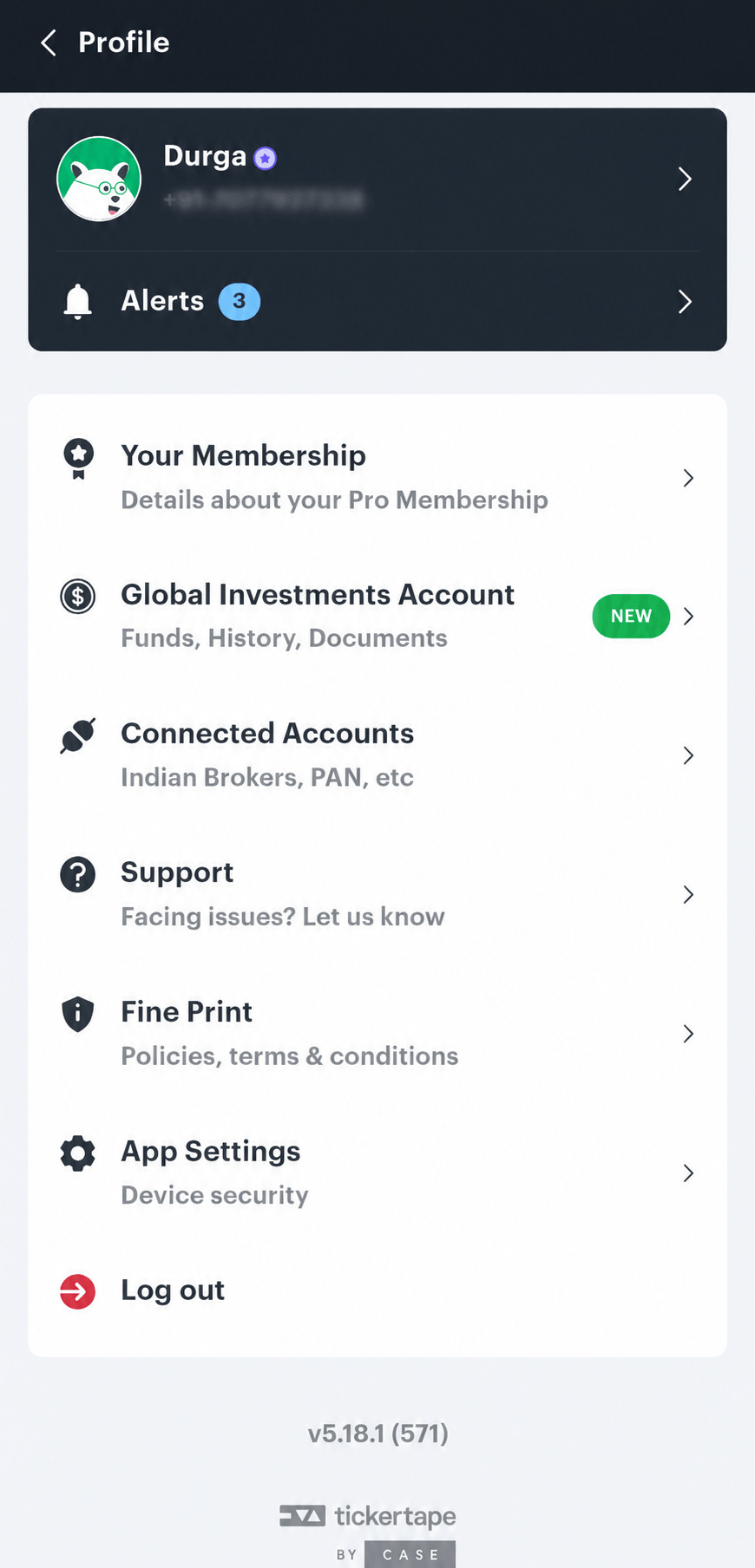
Tap your Profile icon (top left). In the menu, select Global Investment Account.
Step 3: Open the Documents Section
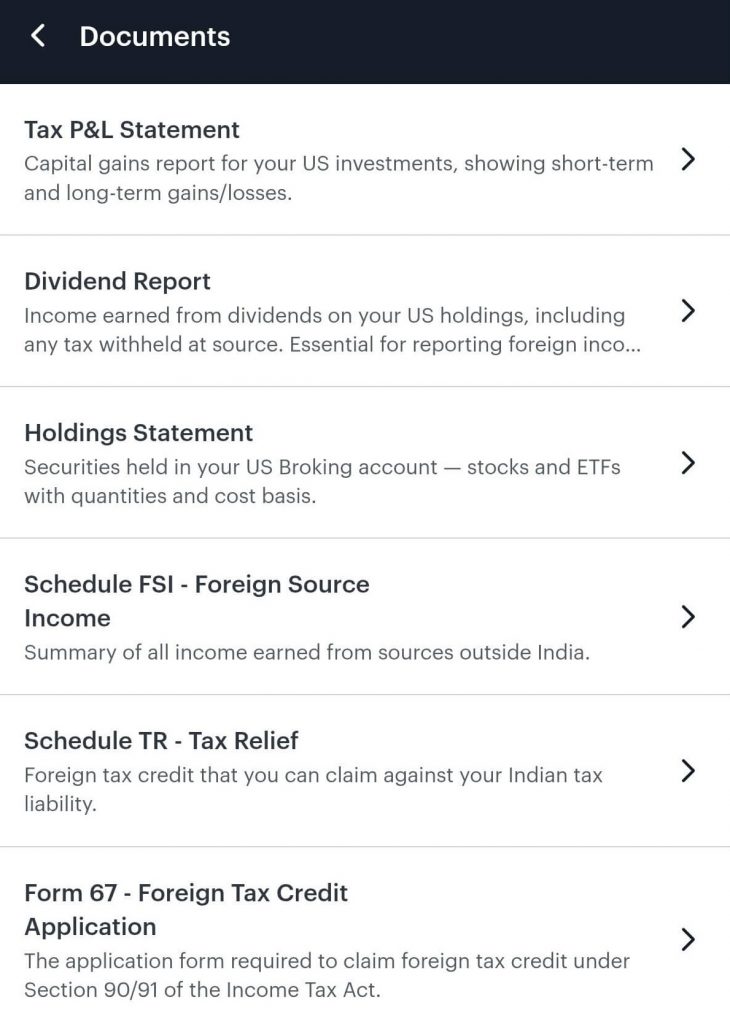
Inside your Global Investment Account, select Documents.
Step 4: Download All Tax Documents for FY 2025–26
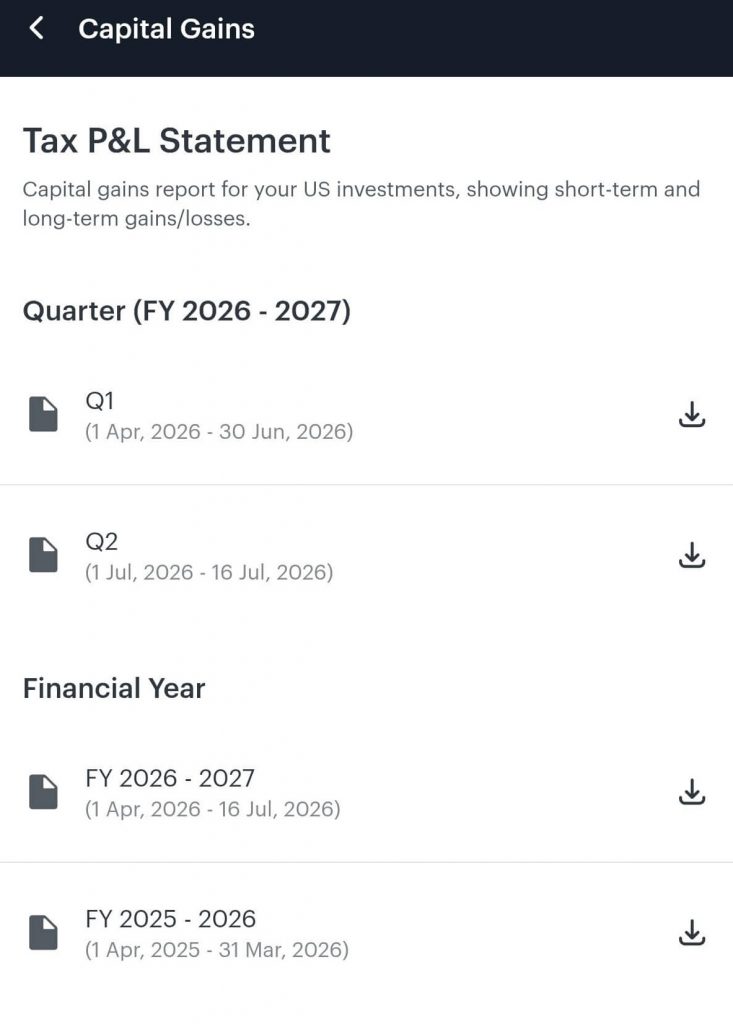
From the Documents section, download the FY 2025–26 versions of these three reports and save them to your device:
- Tax P&L Statement – for your capital gains schedules
- Schedule FSI – for reporting dividend income
- Foreign Tax Credit Application – contains the details you need to file Form 67 and claim credit for the US tax withheld on your dividends
Step 5: File Form 67 on the Income Tax Portal
Form 67 must be filed on the Income Tax Portal before you file your ITR, so that you can claim credit for the US tax already withheld on your dividends:
- Log in to the Income Tax Portal using your PAN and password
- Go to e-File → Income Tax Forms → File Income Tax Forms
- Search for “Form 67” or find it under the Double Taxation Relief category
- Add the necessary details on the portal as per the template in the Foreign Tax Credit Application downloaded from your Documents section
- Submit Form 67
- Note down the date of filing and the acknowledgement number — you will need both while filing your ITR on ClearTax
Step 6: Go to the ClearTax Partner Page
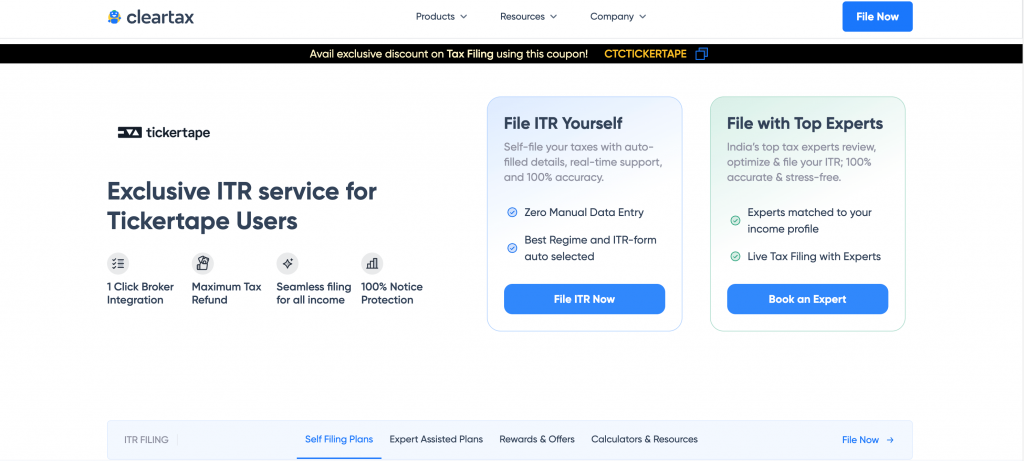
Open the Tickertape ClearTax filing page. You can start a new filing or log in to an existing ClearTax account from here. Click on “File ITR Now”.
Step 7: Navigate to the US Stocks & Investments Section
Inside the ClearTax filing flow, go to the Income Sources tab, scroll down to Foreign Assets – US Stocks and select Tickertape from the list of available platforms.
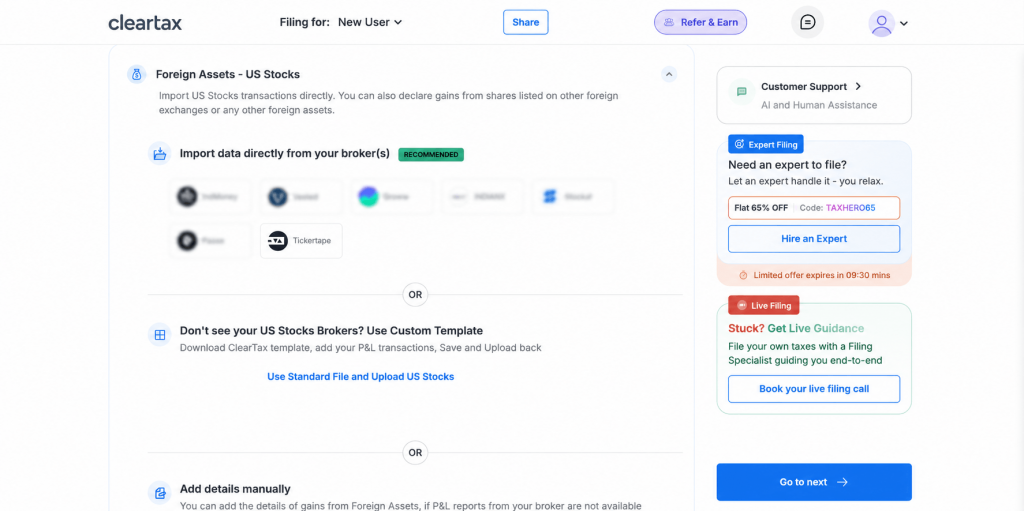
Step 8: Upload Your Tickertape Tax Documents
After selecting Tickertape, upload each document where ClearTax asks for it:
- Upload the Tax P&L Statement – ClearTax auto-fills your capital gains schedules
- Upload the Schedule FSI – ClearTax auto-fills your dividend income
- Already filed Form 67 (Step 5)? Add the date of filing and the acknowledgement number where ClearTax asks for your foreign tax credit details
ClearTax parses your uploaded documents and populates the relevant schedules for you.
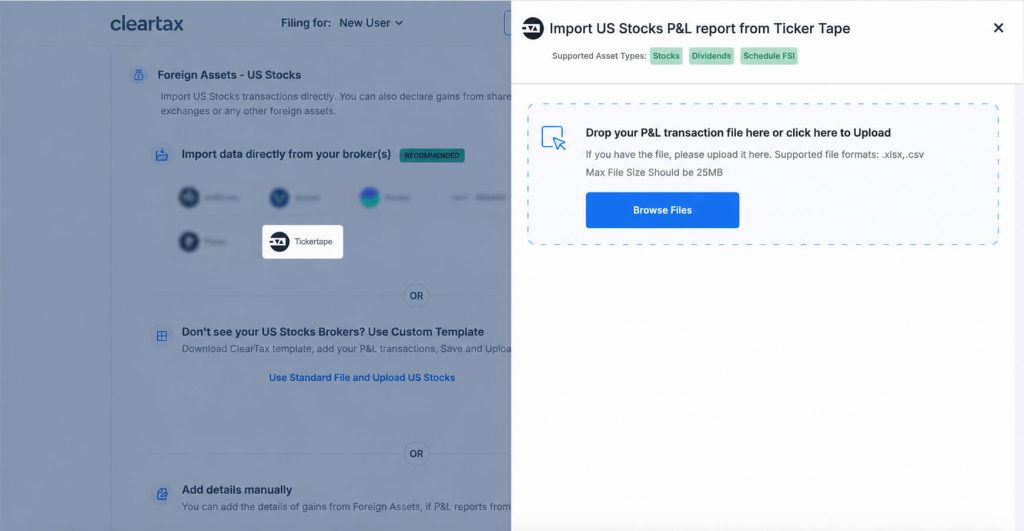
Step 9: Review the Imported Details
Check the imported values against your Tickertape documents. Review the capital gains, dividend income and the Form 67 details (date of filing and acknowledgement number) before proceeding.
Step 10: Apply the Tickertape Discount Code
Enter CTCTICKERTAPE at checkout to receive 70% off the applicable ClearTax paid plan. While this is optional, who can say no to a good discount!
Step 11: Submit and E-Verify Your Return
Complete the remaining filing steps on ClearTax and submit your return to the Income Tax Department portal. Once submitted, e-verify your return to complete the filing process.
Remember: the ITR filing deadline for most individual investors (ITR-1 and ITR-2) for FY 2025–26 is 31st July 2026. Filing early keeps you clear of last-minute portal rush and late-filing fees.
Frequently Asked Questions
1. How can I file taxes on US stocks invested through Tickertape?
2. Where can I find my Tickertape tax documents?
You can find the documents in the Tickertape app:
– Log in to your Tickertape account
– Tap your profile icon
– Open Global Investment Account
– Select Documents
– Download the Tax P&L Statement, Dividend Report and Foreign Tax Credit Application for the relevant financial year
3. Do I need to report Schedule FA for my Tickertape US stocks this year?
No, the Schedule FA runs on the calendar year, while the rest of your ITR runs on the financial year. For AY 2026-27, Schedule FA covers 1st January to 31st December 2025, while your income schedules cover 1st April 2025 to 31st March 2026. Since Tickertape’s US broking accounts opened after the CY2025 reporting window, there is nothing to disclose in Schedule FA this year. Your Tickertape US holdings will need to be disclosed under Schedule FA from next year’s filing (AY 2027-28).
4. Do I have to report US dividends if tax was already withheld in the US?
Yes, the gross dividend income generally needs to be reported in India under Schedule FSI even when US tax has already been withheld. Eligible investors may claim credit for the foreign tax by filing Form 67 on the Income Tax Portal (using the details in the Foreign Tax Credit Application available in their Tickertape account) before filing their ITR.
5. What is Form 67, and when should I file it?
Form 67 is the form used to claim Foreign Tax Credit for taxes withheld outside India, such as the US tax on your dividends. It must be filed on the Income Tax Portal before you file your ITR. Use the Foreign Tax Credit Application from your Tickertape Documents section to fill it out, and keep the date of filing and acknowledgement number handy, as ClearTax will ask for both during your ITR filing.
6. Do I need to file an ITR if I only bought US stocks and did not sell any?
Yes, you may still have reporting obligations even without any sales. Any dividends received on your US stocks are taxable in India and must be reported under Schedule FSI, with Form 67 used to claim credit for US tax withheld. Note that while foreign asset disclosure under Schedule FA is generally based on holding an asset (not only selling it), it does not apply to Tickertape US accounts for AY 2026-27, as explained above.